

The Expense Assumptions input page includes the ability to estimate an Expense Stop and Inflation Factor. Using these assumptions, we'll add the increase over the Expense Stop to the tenant's operating expenses.
If an Expense Stop is not needed, you can leave this section blank or enter "0".
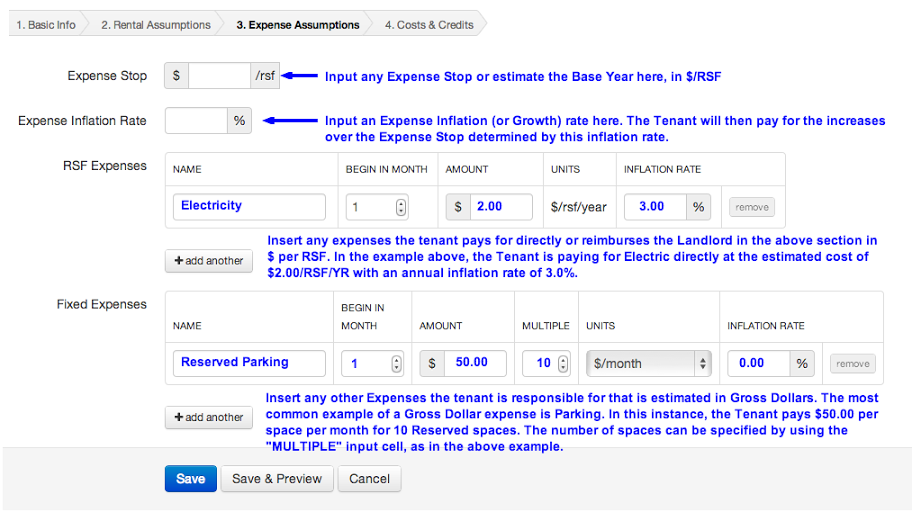
The RSF Expenses section allows for the input of any expenses the tenant pays for directly or the Landlord passes thru to the tenant which are estimated in $ per RSF.
Using the "Begin in Month" input, you may abate any expense for a specified number of months, should the Landlord provide a free operating expense period to the tenant.
In the Fixed Expenses section, you can enter any expenses which are estimated or charged in Gross Dollars or any other multiple then RSF, such as a Parking charge based upon a certain number of parking spaces. Use the Multiple input in order to specify the number of spaces (or any other expense multiplier).
For additional instructions and examples see our Modeling Tenant Expenses help page.
Once complete, click "Save" and proceed to the 4th and final input section: Costs & Credits.