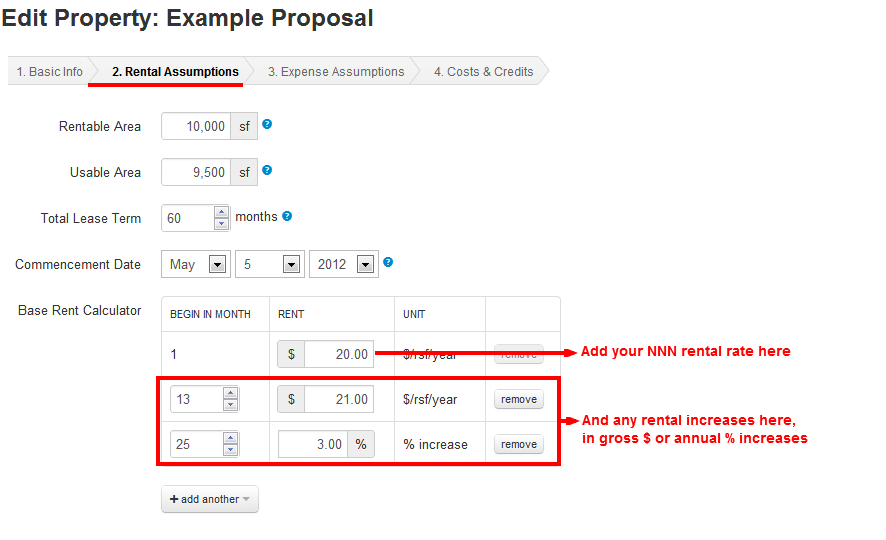
If the proposal's Rental Rate is NNN, on the Rental Assumptions tab, enter the NNN rate, as follows.
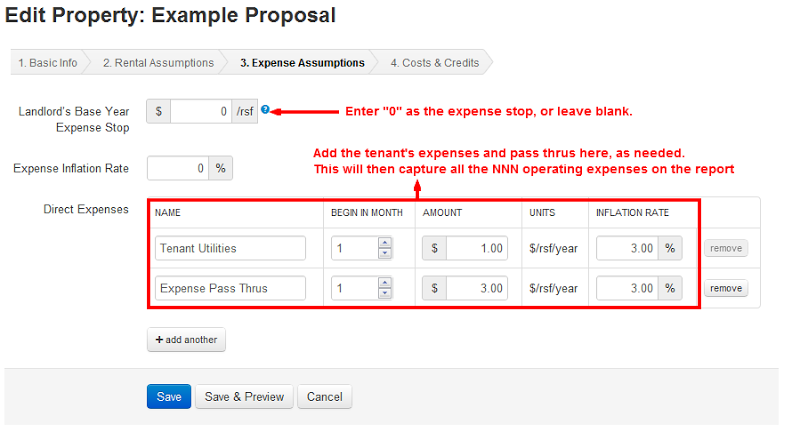
Then, because the lease is NNN, there is no expense stop, so on the Expense Assumptions tab, enter "0" or leave the base stop amount blank.
Then, enter all the expenses the tenant would either pay for directly, or the landlord would pass thru to the tenant.
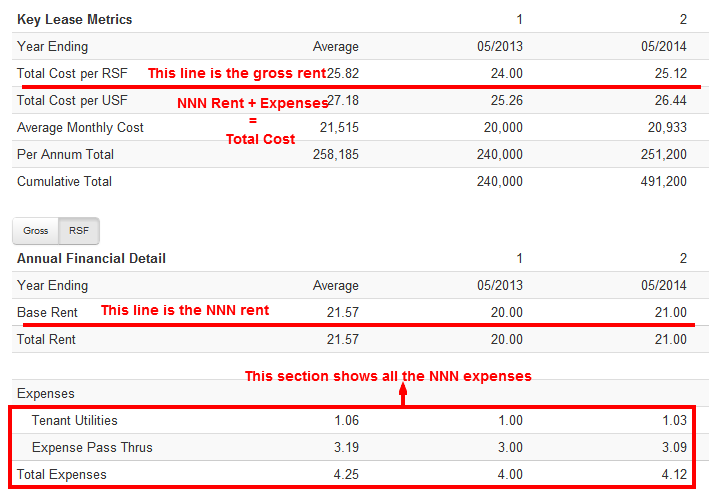
By doing this, the Property Level report will break out the NNN rent, on the Base Rent line, and the expenses separately, as follows: