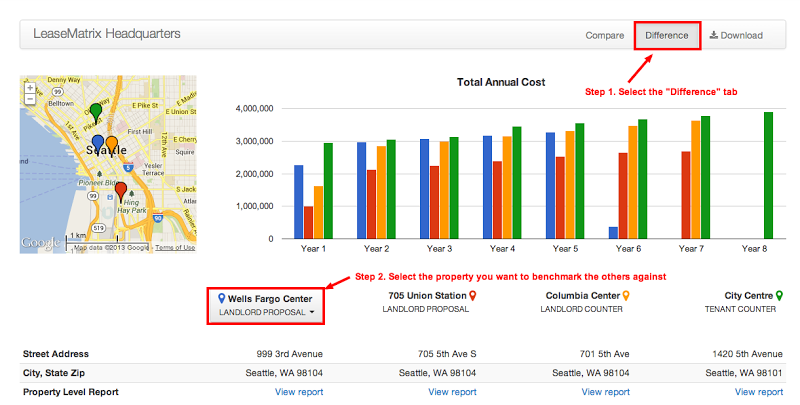
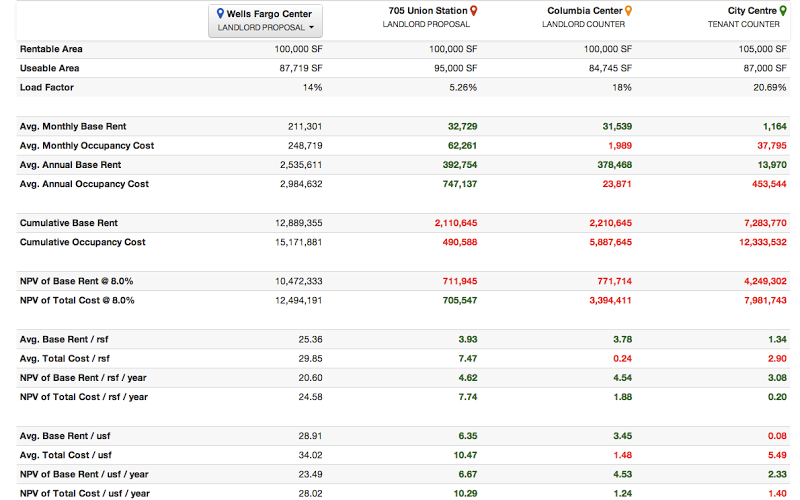
From the Deal Comparison report, users can quickly view the difference in the cost between one proposal and all the other alternatives.
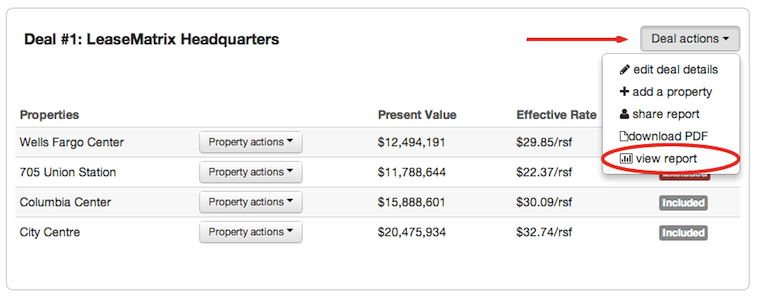
To access the Deal Comparison report, under the Deal actions menu selected View report:
From the Deal Comparison report page, select the Difference tab, then select the property you would like to benchmark the other proposals against.
Once the appropriate property is selected, the difference in cost is generated for the remaining proposals. Green numbers represent savings to the tenant, Red numbers represent a cost premium.